

By Brian Scheibe
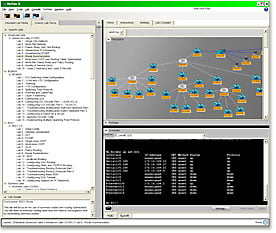 I recently discussed why it’s helpful to be able to create your own lab packs using the Lab Compiler included in Boson's NetSim network simulator software. Lab packs include topology files (*.top), lab documents (*.xps), loading configuration files (*.nwc), and grading configuration files (*.nwc). If you’ve created your own lab pack and want to import the files into NetSim, simply select the Custom Lab Packs tab and then click Lab > Import Lab Pack from the Menu Bar. Sometimes, however, you won’t need to include the individual topology and loading configuration files as a part of a lab pack. The good news is that you can still use them in NetSim.
You can easily open individual topology files, whether they’re ones you created yourself, imported or received from a colleague, in NetSim. Then you can apply the loading configuration files to the devices in the topology.
To open a topology in NetSim 8, click the NetMap tab, click NetMap on the Menu Bar, and then click Open Topology. In the resulting dialog box, select a *.top file and click Open. This will enable you to modify the topology in the NetMap window. The topology will not be applied to devices until you click Apply Selected Topology on the NetMap menu. Alternatively, you can click Open and Apply Selected Topology, and the topology file you select in the resulting dialog box will automatically be applied to the devices in the NetMap.
Once the topology is loaded, if you’ve created loading configuration files, you do not have to configure the devices manually after applying the topology. Instead, you can apply the configuration files by clicking Console > Load Multi-Device Config. The supported file extension is *.nwc. Note that if you haven’t previously loaded a lab or a topology, this option will be unavailable.
Now that your topology and configurations are loaded, you’re ready to start practicing different configurations with the devices in your topology.
Download a NetSim network simulator demo.
Related blog articles
- Why create your own lab packs in Boson NetSim?
- Cisco Network Simulator: Can it be used in a classroom? (Part 1 of 3)
- Cisco Network Simulator: Can it be used in a classroom? (Part 2 of 3)
- Cisco Network Simulator: Can it be used in a classroom? (Part 3 of 3)